Sync and review marketplace intake
Sync brings current marketplace listings into a review queue. It does not silently create or change physical stock.
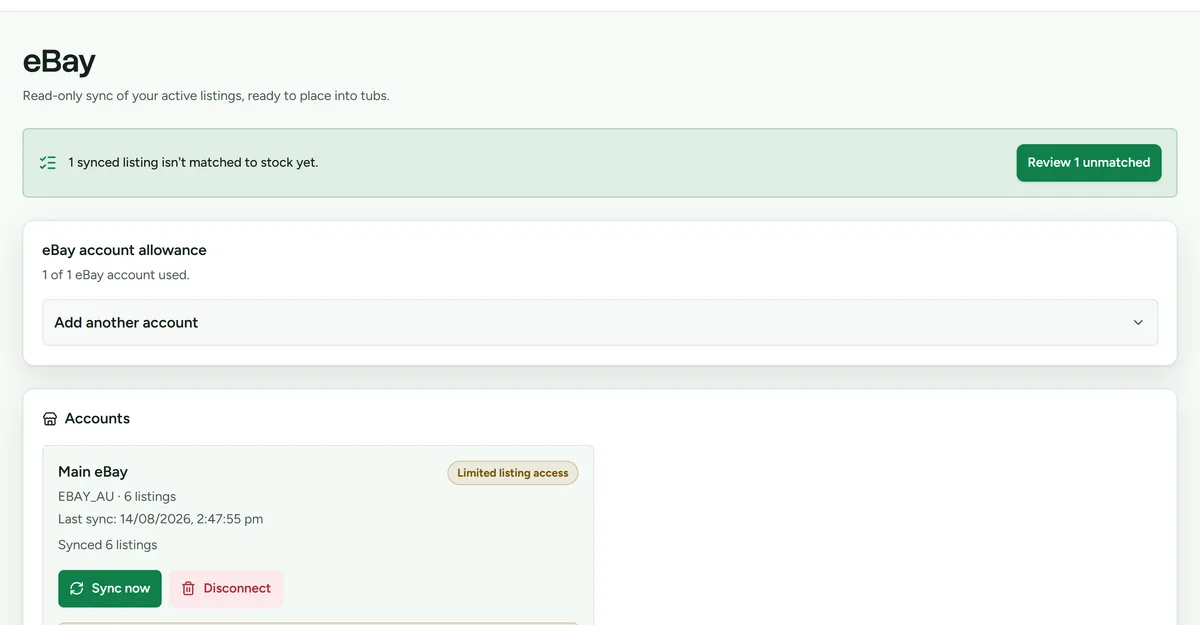 Synced listings wait in review until you take them into stock.
Run a sync
- Open Sync, or open the connected account from Settings > Integrations.
- Choose the eBay or Shopify account.
- Select Sync now.
- Wait for the account result before starting another sync.
Review unmatched listings
- Open the provider's review queue.
- Compare the SKU, listing identity, quantity, and physical item.
- Match the listing to existing Deathpile stock, import it as a new item, or leave it for later review.
- Open Space and place any imported item that does not yet have a storage unit.
Never match a listing from its title alone. Similar titles can refer to different physical items.
What sale watching changes
When an owner enables sale watching, marketplace events and scheduled checks create durable Sales activity. A paid fulfilled order can confirm an exact safe stock match automatically, even if a marketplace postage label moved it out of the provider's dispatch queue before the next check. Manual confirmation and automatic fulfilment use the same stock transaction and both create separate collection work in Pick. Unmatched items, oversells, partial fulfilments, cancellations, and read-only workspaces still need review.
If the sale uses the last physical unit, Deathpile keeps any linked listing on another marketplace visible as a sibling-listing task. Resolve it on the marketplace, or turn on assisted listing removal and choose End listing. Every listing change starts with that button.
For provider-specific connection and access details, see eBay or Shopify.