Connect and sync Shopify
Deathpile uses Shopify OAuth and Admin GraphQL to read active products and variants.
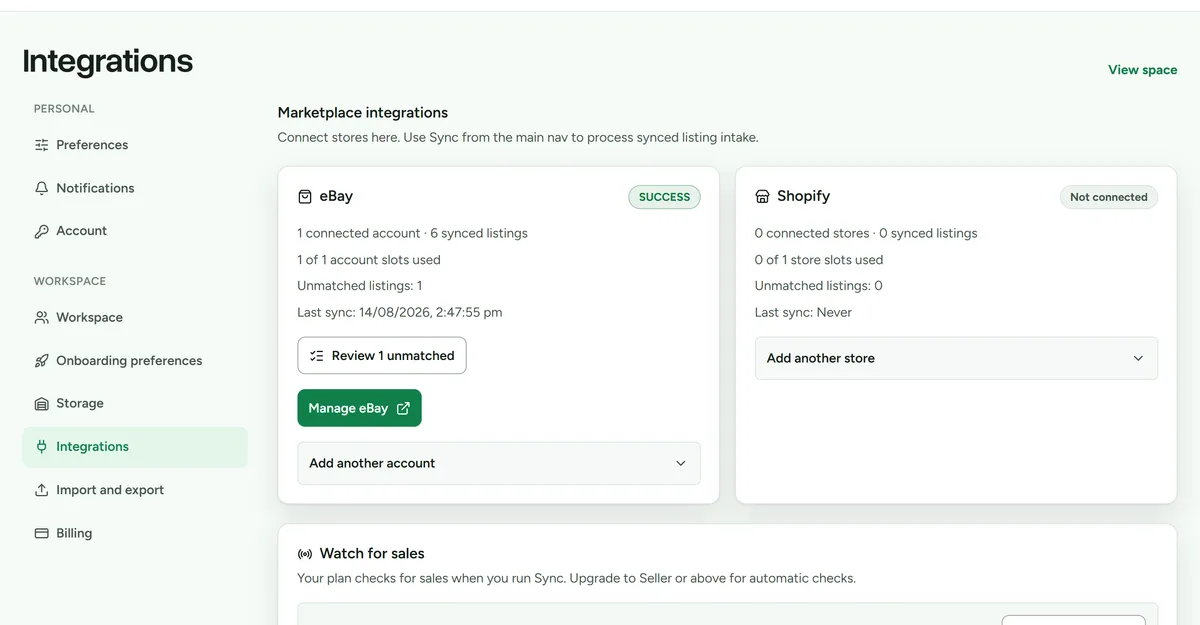 Integrations settings. Shopify connects from the same screen as eBay.
Connect a store
- Open Settings > Integrations.
- Open Add another store and choose Connect Shopify.
- Enter the store domain when asked.
- Complete Shopify's authorisation flow and return to Deathpile.
- Run the first sync.
Deathpile uses Shopify's expiring offline credentials and rotates them in the background before the real refresh expiry. If Shopify asks for fresh consent or the stored credential expires, Deathpile emails the workspace owner with a direct reconnect link.
Review synced variants
- Open Shopify.
- Select Sync now for an immediate listing refresh.
- Open Review unmatched listings.
- Match the variant to existing stock, import it, or leave it for later.
Confirm SKU and physical identity before matching. Do not rely on title alone.
Sale activity
When order access and sale watching are enabled, Shopify webhooks wake reconciliation and manual sync checks paid, unfulfilled orders updated within Shopify's available 60-day window. A paid fulfilled order can mark an exact safe stock match sold automatically. Unmatched items, oversells, partial fulfilments, cancellations, and read-only workspaces remain reviewable.
If applying a sale removes the last physical unit while a linked Shopify listing remains live, Deathpile creates a sibling-listing task. An owner can separately grant permission to end listings and choose End listing for that one task. Deathpile moves the Shopify product to Draft so it can be returned to sale later. It never ends Shopify listings automatically.
Disconnect, reconnect, or remove a store
Disconnecting asks Shopify to uninstall Deathpile, removes Deathpile's stored credentials, and stops future sync. The disconnected store and its imported data remain visible temporarily and continue to use one Shopify account slot.
To resume syncing, open Shopify and choose Reconnect Shopify on the disconnected store. You do not need to enter the store domain again.
To release the account slot, choose Remove store and type the exact myshopify.com domain shown in the confirmation. This permanently deletes stock originally imported from that store and its synced listing data. Items created directly in Deathpile remain.
Shopify requires shop-derived data to be erased after an app is uninstalled. Deathpile processes Shopify's verified redaction request even if the store has already been removed manually.