Set up and manage storage
Deathpile separates three physical ideas:
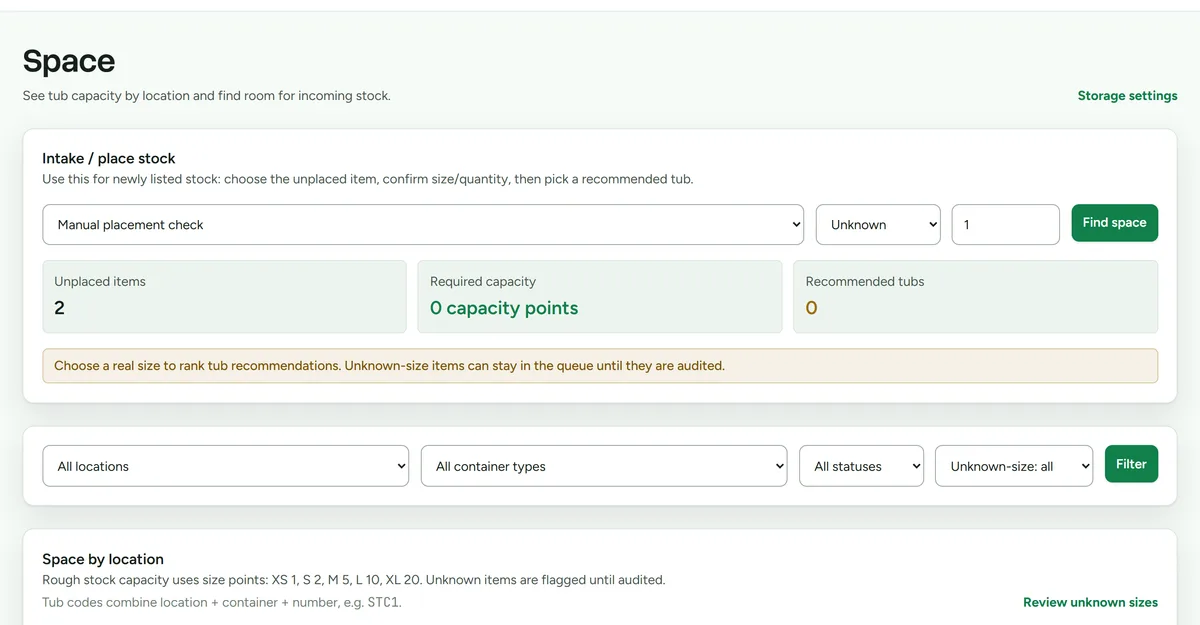 The storage overview, with capacity shown per unit.
- A location is a room or area.
- A container type describes a reusable kind of tub, shelf, or rack and its estimated capacity.
- A storage unit is the numbered physical container that holds stock.
Add storage records
- Open Settings > Storage.
- Create the location.
- Create the container type and set its capacity.
- Add each physical unit with the identifier printed on the real object.
Place or move stock
- Open Space.
- Select a unit to review what it contains and its estimated capacity.
- Place an item from Needs a home, or edit an existing item's storage unit.
- Physically move the item before confirming the new location in Deathpile.
Keeping the app and the room in sync is what makes picking reliable. Capacity indicators are guidance, not a guarantee that an object will physically fit.
Change a storage record
Edit names and capacity in Settings > Storage. Before removing or repurposing a physical unit, move its items so they do not lose their known location.