Print labels and use QR scans
Deathpile labels use stable QR scan codes for stock items and physical storage units.
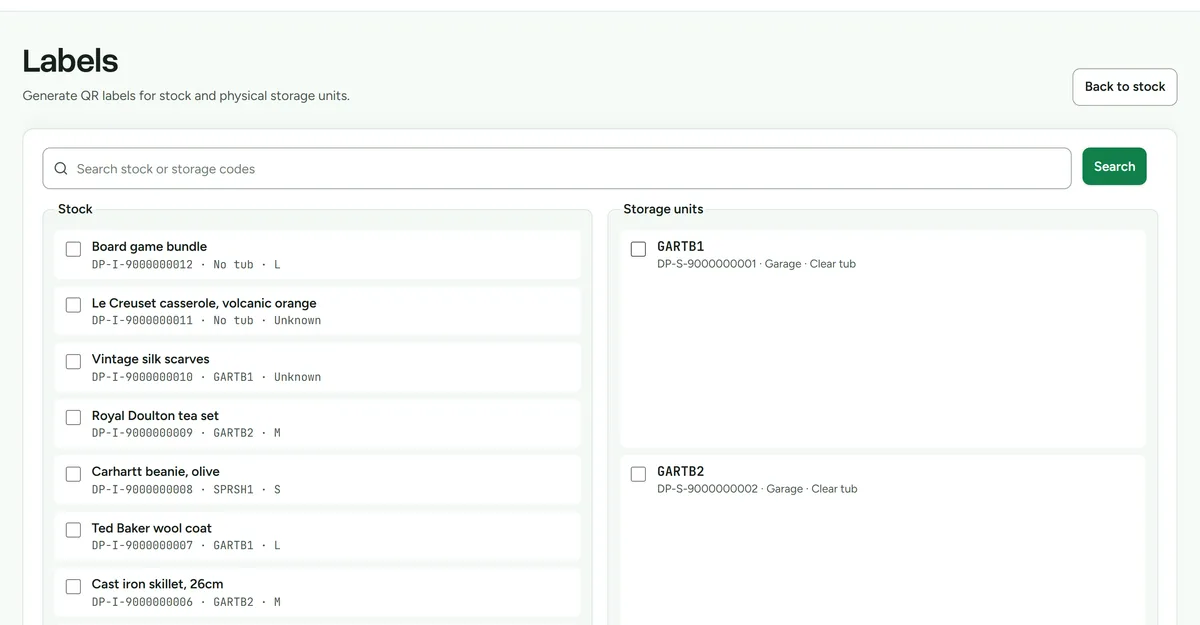 Selecting items and storage units, then previewing the printable sheet.
Print labels
- Open Labels.
- Choose the stock items or storage units you want to label.
- Check the visible name and code before printing.
- Print from the browser and attach each label to its matching physical object.
Scan a label
- Sign in to Deathpile on the scanning device.
- Scan the QR code with the camera or a scanner that opens URLs.
- Review the read-only item or storage result.
If a code opens the wrong physical object, stop and replace the misplaced label before continuing.
Scan-confirmed picking
- Add items to the pick list from Stock.
- Open Scan pick.
- Scan the requested item or storage label.
- Confirm the outcome only after the physical item is in hand.
Camera scanning, manual code entry, and scanner-gun input are supported. Browser camera permission is required only for camera scanning.