Troubleshoot common issues
An item is missing from Stock
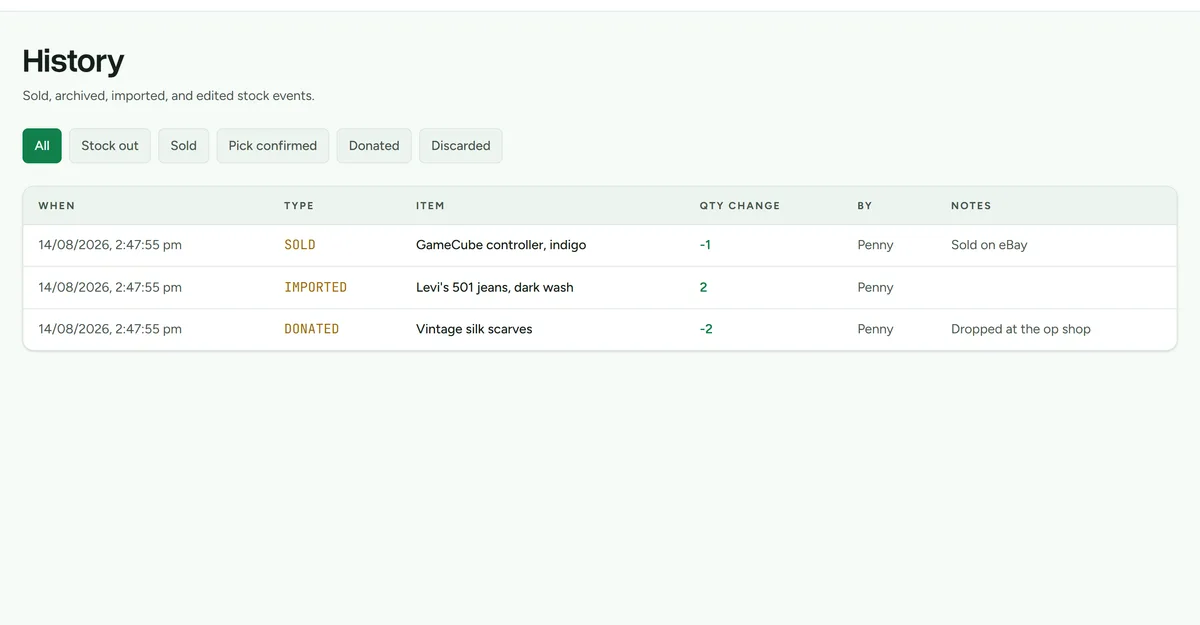 Workspace history records every stock movement, which is where most questions get answered.
- Clear the search and check the current sort and page.
- Check History to see whether an outcome reduced its quantity to zero.
- Check Needs a home if the item exists but has no storage unit.
- If the item came from a marketplace, review the provider's unmatched queue.
A CSV will not import
- Use the required
item_nameandquantityvalues. - Keep the column names shown in Import and place stock.
- Use only XS, S, M, L, or XL for item size.
- Resolve every preview error before confirming the import.
- If a row may duplicate existing stock, compare the physical item before creating another record.
Capacity looks wrong
- Assign sizes to items in Sizes.
- Confirm the container type has a reasonable capacity value.
- Check that items are assigned to the correct physical unit.
A QR code will not scan
- Sign in to Deathpile on the device.
- Allow camera permission when using the camera scanner.
- Improve lighting, clean the label, or enter the printed code manually.
- Replace a damaged or incorrect label from Labels.
Marketplace listings are missing or unmatched
- Run Sync now for the connected account.
- Confirm the listing or variant is active in the marketplace.
- Review the eBay or Shopify unmatched queue.
- Match using SKU and listing identity, never title alone.
- If the connection requests updated access, complete the provider authorisation before enabling sale watching.
A detected sale did not reduce stock
Open Sales and check the match and quantity. Deathpile can apply a paid, fulfilled marketplace sale automatically when the match is exact and enough active stock remains. Unmatched items, oversells, partial fulfilments, cancellations, and read-only workspaces stay there for review.
The workspace is read-only
The trial or paid access may have ended, or billing may require attention. The owner can open Settings > Billing. Browsing, searching, exporting, and billing access remain available.
Still stuck?
Contact Deathpile support with the page, steps, and exact error message.