Find and manage stock
Stock is the working list of items that currently have quantity available.
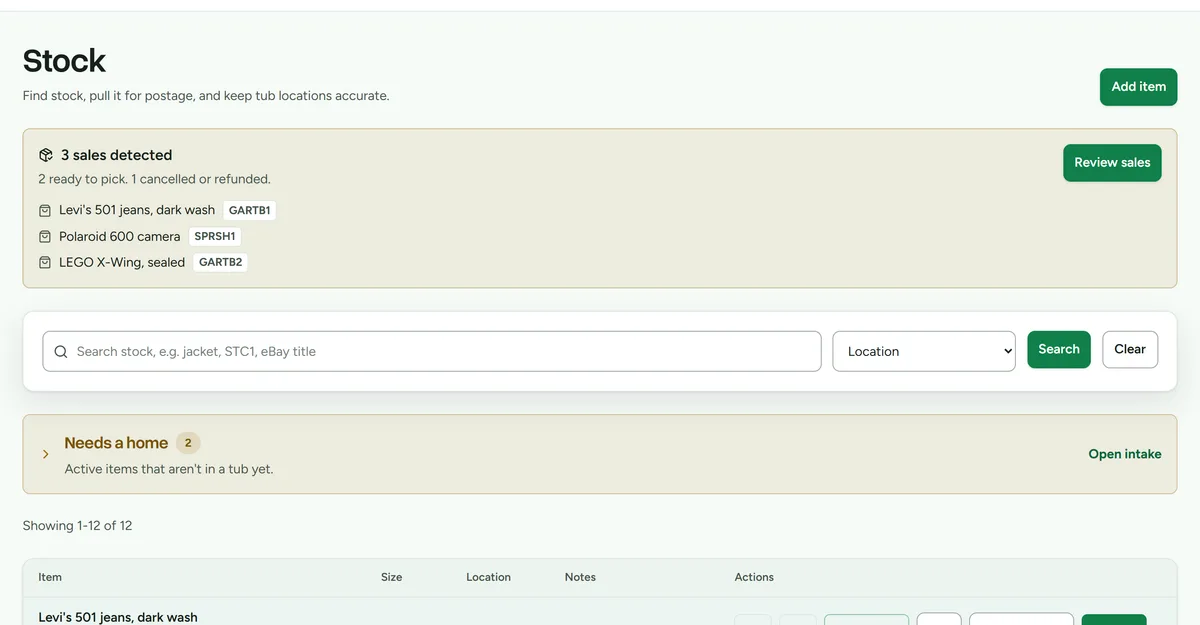 Stock, with search, the unplaced-items banner, and per-row actions.
Find an item
- Open Stock.
- Enter a name, SKU, note, or other identifying text in Search.
- Submit the search. On a phone keyboard, use Enter to run it.
- Change the sort order or page size when you need to scan a larger result set.
- Switch between card and table views. Deathpile remembers the preference for the browser.
Update an item
- Open the item's edit action.
- Correct its name, quantity, notes, size, or storage unit.
- Save the change.
Quantity changes are recorded in workspace history. Use the actual physical quantity rather than marketplace listing quantity.
Add an item to a pick list
- Find the item in Stock.
- Select Add for the pick list.
- Open Pick when you are ready to retrieve the group.
Adding an item to a pick list reserves work for the run but does not reduce stock. Quantity changes only when a person applies an outcome.
Items without a place
Stock without a storage unit appears under Needs a home. Use Space to assign each item to a physical unit so it can be found and included in capacity planning.