Account security and data
Password and account security
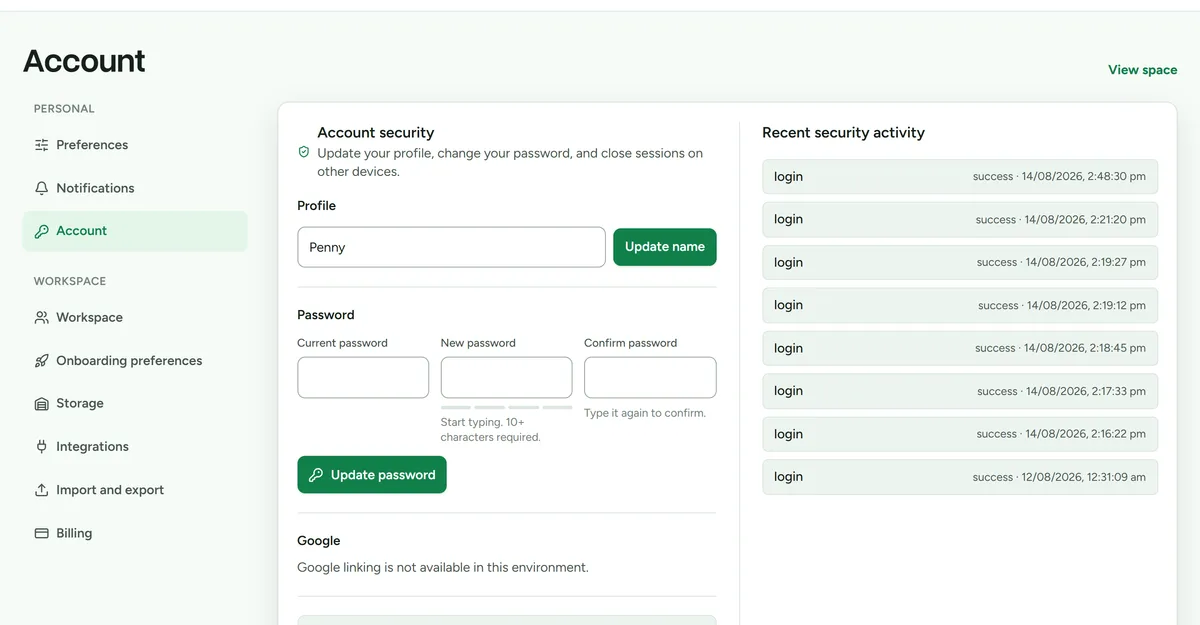 Account settings, including active sessions and data export.
Open Settings > Account for personal account controls. You can sign in with email and password or link one Google account. Google sign-in does not connect eBay, Shopify, Gmail, Drive, or any other Google service.
If the Google email matches your Deathpile email, Deathpile keeps one account, workspace set, billing relationship, stock history, and preferences. A later change to your Google profile email does not change your Deathpile contact email. You can explicitly link a Google account with a different email after confirming your current Deathpile password.
Use Forgot password if you cannot sign in or if a Google-only account needs a backup password. Add a password before removing Google, because Deathpile will not remove your only sign-in method. Never share a password-reset or email-verification link.
Password fields show the minimum length, a live strength indicator, and whether confirmation matches. Longer passwords are more important than adding predictable substitutions, so a memorable multi-word phrase is a good choice.
Expand Active sessions to review the device, approximate location, sign-in time, and last activity for each session. You can sign out one session at a time or sign out every other device.
If you do not recognise a session, sign it out and change your password. Changing the password also closes every other active session.
Export workspace data
- Open Settings > Import and export.
- Choose the export action.
- Store the downloaded file somewhere appropriate for your business records.
Export remains available when the workspace is read-only.
Disconnect marketplace access
Open Settings > Integrations and disconnect the account. Deathpile revokes provider access, removes credentials, and stops future sync. A disconnected account continues to use a plan slot while its imported data remains.
Reconnect from the retained account card without re-entering its details. To release the plan slot, use Remove store or Remove account after disconnecting and complete the typed confirmation. Removal deletes stock originally imported from that account and its synced listing data. Review the counts shown before confirming.
Deathpile stores marketplace credential expiry dates so it can renew access safely. Fixed eBay permissions produce essential owner reminders 14, 7, and 1 day before the provider's real expiry. Shopify refresh credentials rotate automatically; Deathpile asks the owner to reconnect only when Shopify requires fresh consent. Emails and reminder records never contain marketplace tokens.
Request deletion
Email help@deathpile.io from the address associated with the account. State that you want the Deathpile account and associated workspace data deleted. Support may need to confirm ownership before processing the request.
Do not send a password, marketplace token, payment card number, or private buyer information.