Connect and sync eBay
Deathpile reads listings from the eBay Inventory API and the classic listing path used by Seller Hub.
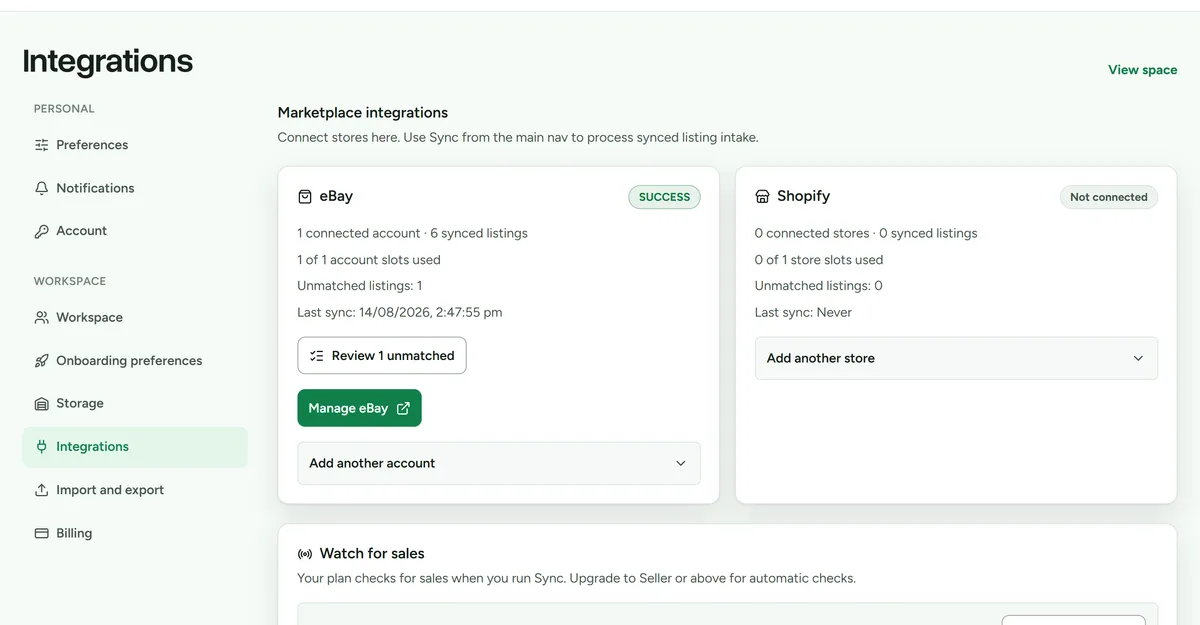 Integrations settings. Each eBay account has its own watch switch.
Connect an account
- Open Settings > Integrations.
- Open Add another account and choose Connect eBay.
- Complete eBay's authorisation flow.
- Return to Deathpile and run the first sync.
New connections request listing-read and order-read access together. An older connection may show Update eBay access before sale detection can be enabled.
To include listings created through eBay, Seller Hub, or the eBay app, finish the separate classic listing-access step shown on the account card. eBay gives the main connection and classic listing permission their own real expiry dates.
Renew expiring access
Deathpile shows the expiry supplied by eBay rather than using an estimated renewal date. The verified workspace owner receives an essential service reminder 14, 7, and 1 day before either the main eBay connection or classic Seller Hub listing permission expires.
- Open eBay from the email or integration settings.
- Choose Re-authorize for the main connection, or renew the separate Seller Hub listing access when that is the permission expiring.
- Complete eBay's consent screen.
- Confirm the new expiry appears on the account card.
Renewing access issues fresh credentials with a new provider expiry, then keeps sync and marketplace checks running. Your stock and listings stay exactly where you left them.
Review synced listings
- Open eBay.
- Run Sync now when you need an immediate refresh.
- Open Review unmatched listings.
- Match a listing to an existing item, import it as new stock, or leave it for later review.
- Place newly imported stock from Space if it has no physical storage unit.
Never choose a match from title alone. Confirm SKU, listing identity, and the physical item.
Sale detection
The account owner can enable watching in Settings. A manual sync and the first successful enable reconcile the current shipping queue. Later checks retain paid fulfilled lines even when printing an eBay postage label has moved the order out of that queue. Deathpile marks an exact safe match sold automatically. Unmatched items, oversells, partial fulfilments, cancellations, and read-only workspaces stay in Sales for review.
If applying a sale removes the last physical unit while a linked listing remains live elsewhere, Deathpile creates a sibling-listing task. Turn on assisted listing removal and an owner can choose End listing. Ending an eBay listing is permanent; selling the item again requires a new or relisted listing.
Disconnect, reconnect, or remove an account
Disconnecting revokes Deathpile's eBay permissions, removes stored credentials, and stops future sync. The retained account, listings, and imported stock continue to use one eBay account slot.
To resume syncing, open eBay and choose Reconnect eBay. Deathpile requires the same eBay identity and will not attach a different seller account to the retained record.
To release the slot, choose Remove account and type the exact account nickname shown in the confirmation. This permanently deletes stock originally imported through that account and its synced listing data. Items created directly in Deathpile and redacted historical sale records remain. Removing the account does not change listings on eBay.